
SharePoint Online: Multilingualism in websites
Microsoft has now introduced support for multilingual websites in SharePoint Online Modern UI. Previously, there was only an open source solution from the PnP community, as already described in an earlier article has been described. This new feature is listed under ID 50217 in the Microsoft roadmap and will be rolled out for Targeted Release Tenants by the end of March 2020.
Functionality of multilingualism
Multilingualism in websites allows content such as news articles and content pages to be created and published in different languages. The content is displayed to the user either based on their set language (SPO user profile) or manually via a language switcher on the website.
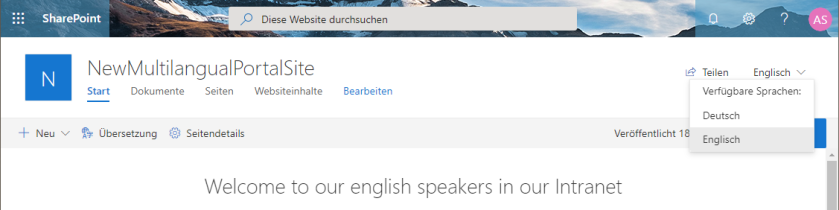
Establishment of multilingualism
Website administrators can configure the options for multilingualism under the URL „/_layouts/15/muisetng.aspx“. The supported languages are defined there. Once the default language of the website has been set when it was created, additional languages can now be added.
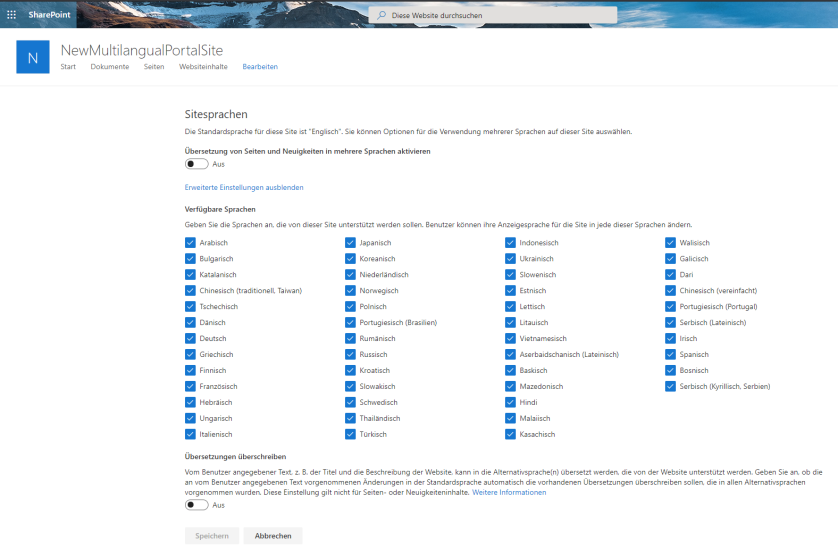
For each selected language, an editor can be designated to provide the translations. Multiple users per language are possible.
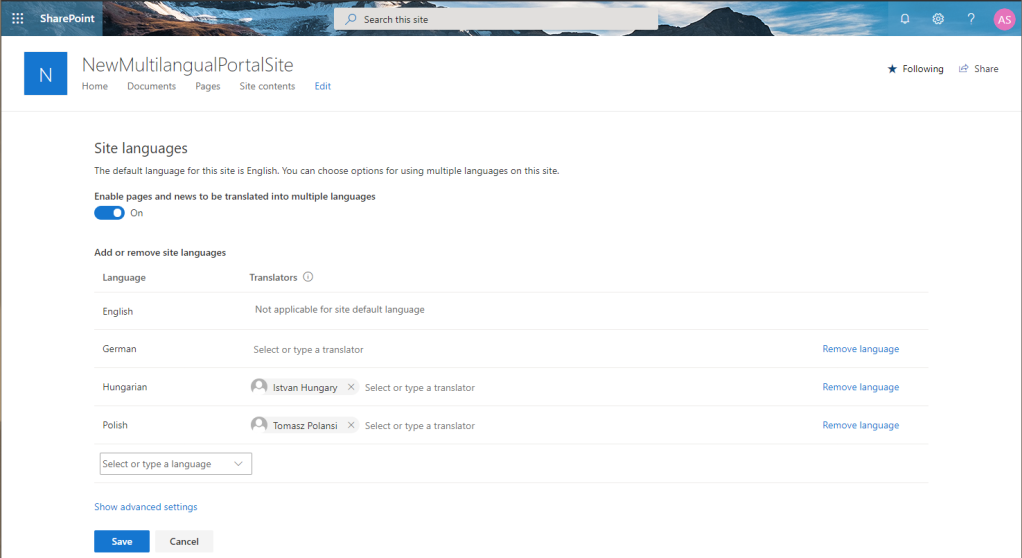
Workflow for editors
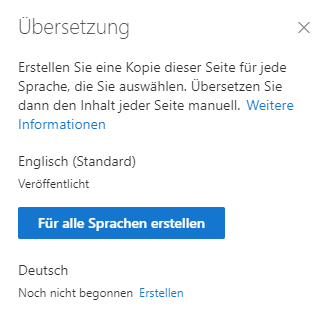
Once set up, editors receive an additional „Translation“ button in the title bar of every page.

As soon as a copy is created for an additional language, the translator receives an automatic email notification to start the translation.
The technology behind multilingualism
Different language copies with the translated content are created for each page or news item. These language copies are located in subfolders of the SitePages library, with a separate folder for each language. Example URL for the German homepage: /SitePages/en/Home.aspx
The desired or set language in the SPO user profile is compared with the available languages on the website. The language with the highest priority in the user profile is delivered if it is supported on the website.
Hidden SPO profile settings
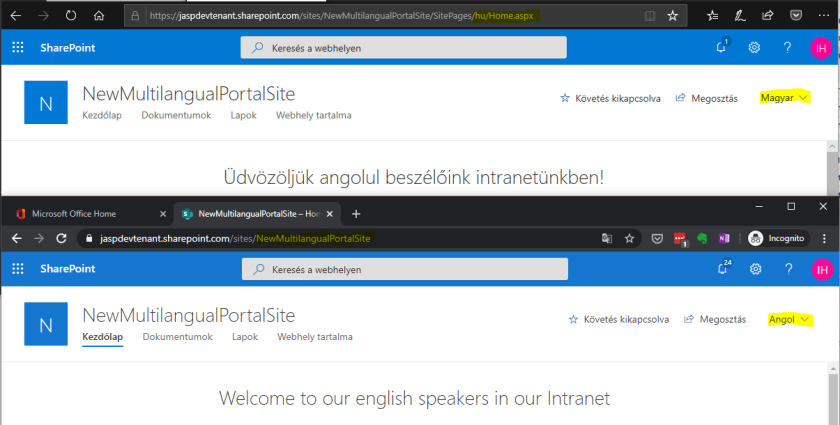
https://tenantname-my.sharepoint.com//_layouts/15/editprofile.aspx?UserSettingsProvider=dfb95e82-8132-404b-b693-25418fdac9b6There are currently still different display modes in the browsers, as can be seen in the following screenshot, which shows the same page in Edge and Chrome for the same user.
Further information:

 Deutsch
  English (UK)
  Русский