
Mail merge in SharePoint Online
Creating form letters in SharePoint Online presents many users with challenges. It becomes particularly tricky when both the Word document and the table are located within SharePoint. In this article, you will learn how to create and print mail merge letters despite these hurdles.
State of the art
Microsoft does not support linking to a list, for example an Excel table, under an http address. This has been clarified in various articles:
- MS Community Thread: Word Mail Merge with Excel document in a Sharepoint document library
- Microsoft support article: Data sources you can use for a mail merge
Instead, a local table is required:
- Microsoft support article: Mail merge using an Excel spreadsheet
This solution is not only useful for us, but also for many other users, as the now 2.5-year-old requirement shows:
- Microsoft User Voice: Allow mailmerge using SharePoint (and/or OneDrive) based lists and documents
Practical solution
For the implementation, we use OneDrive to map a SharePoint list as a „local“ drive. The sync functionality of SharePoint Online makes this possible:

This means that the data source is practically „local“:

Example of the structure of the Excel table:
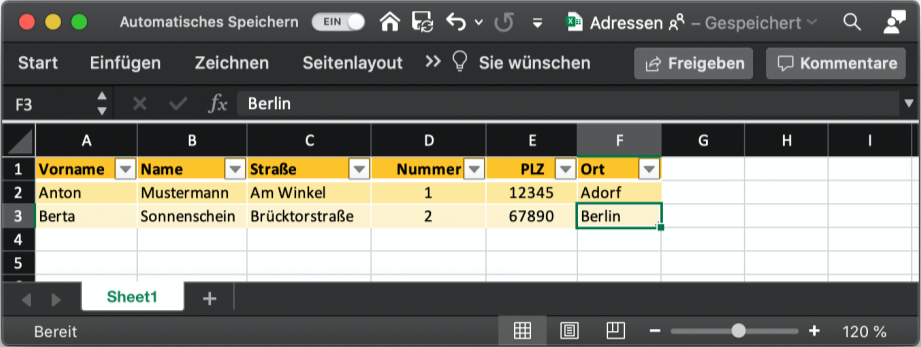
Now we can start with the actual mail merge in a Word document. The document must be opened in the Word app, as the mail merge functionality is not available in the browser:

Alternatively, the document can be opened directly from the Finder (Mac) or Windows Explorer (Windows).
In the Word document, we connect the data source, an Excel spreadsheet...
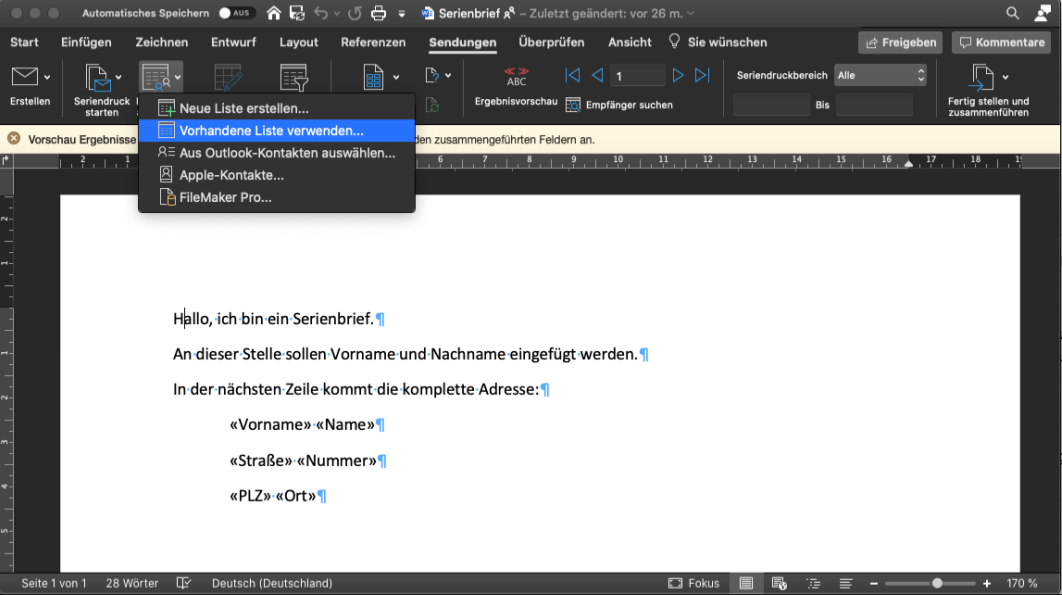
...select the file from OneDrive...

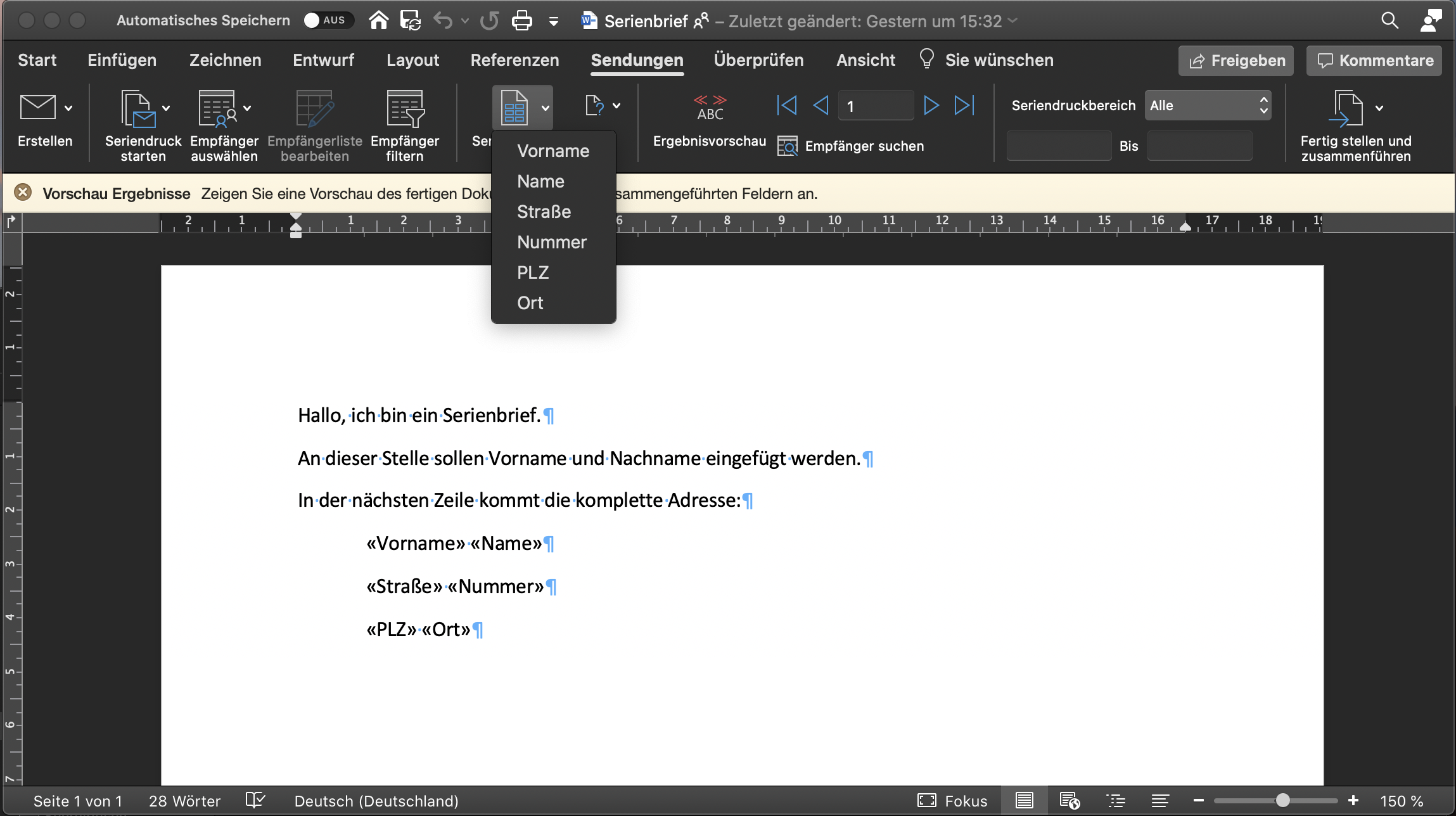
...and allocate the fields...
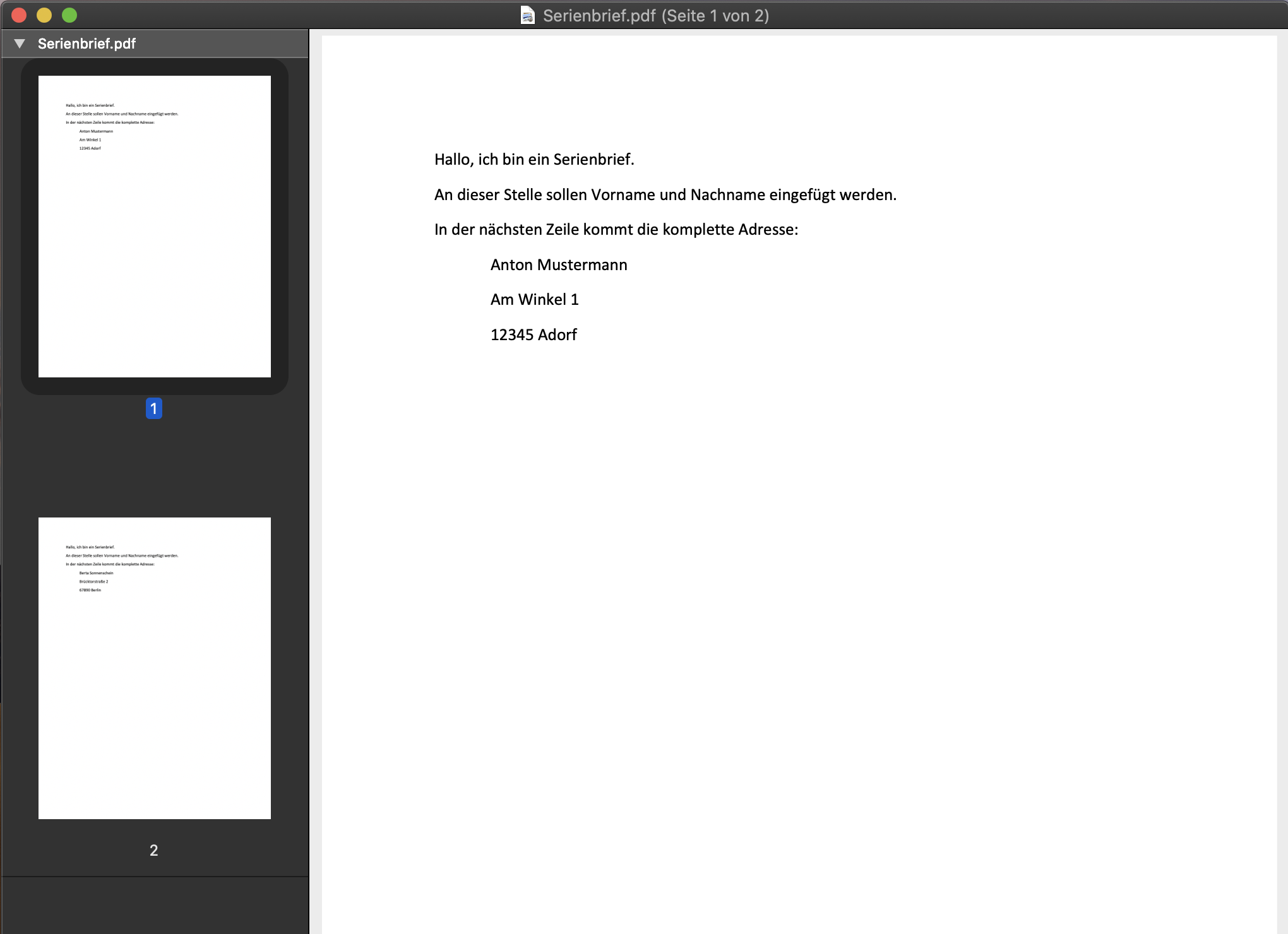
...to finally print everything out:
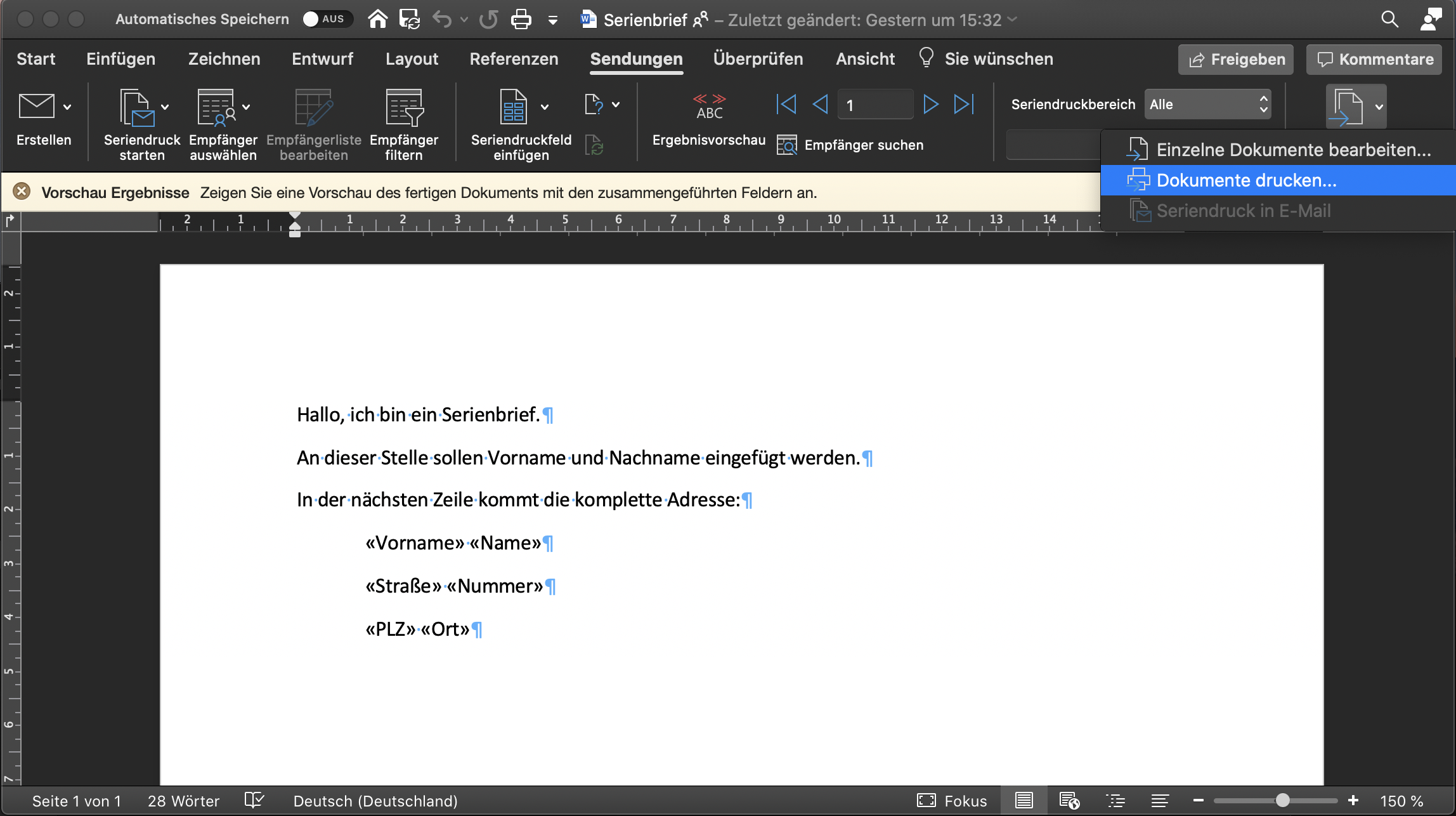
As the data source only contains two addresses, only two pages are printed:
Conclusion
SharePoint is an extremely powerful tool. The use of the online version is steadily increasing worldwide, supported by Microsoft's cloud-first strategy. Nevertheless, the hope remains that working in the cloud, and especially directly in the browser, will be increasingly better supported. If you would like to drive this process forward, give your voice on the Microsoft User Voice, the link can be found at the top of the article.



 Deutsch
  English (UK)
  Русский