
Teams: Emojis in channel names
Emojis in the channel name can add a touch of personality to your team. Learn how to add emojis to the channel names of Teams on Windows.
Step-by-step instructions:
- Select the channel in the desired team.
- Open the context menu by clicking on the three dots next to the current name.
- Select the option Edit this channel.
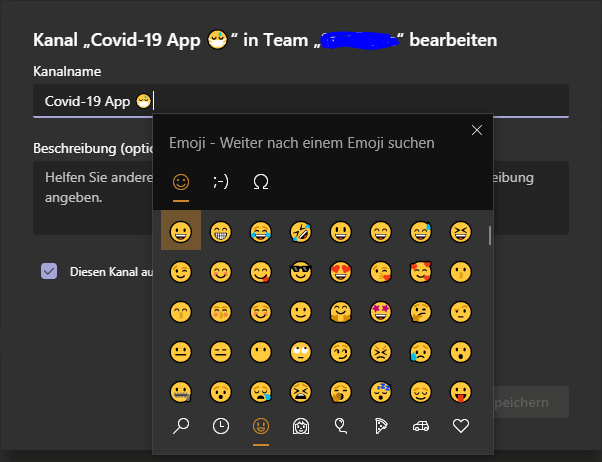
- In the dialogue that appears, place the cursor in the field Channel name and then press the key combination Windows + . (dot).



 Deutsch
  English (UK)
  Русский