Brilliant yet Clueless – The User Manual: Prompt Engineering, Model Selection, and How to Use AI Properly
From three lines of prompt to a versioned system. What I learned in one year of AI deployment about giving the right instructions – and why most new AI tools confirm exactly that. Part 4 and conclusion of our series.
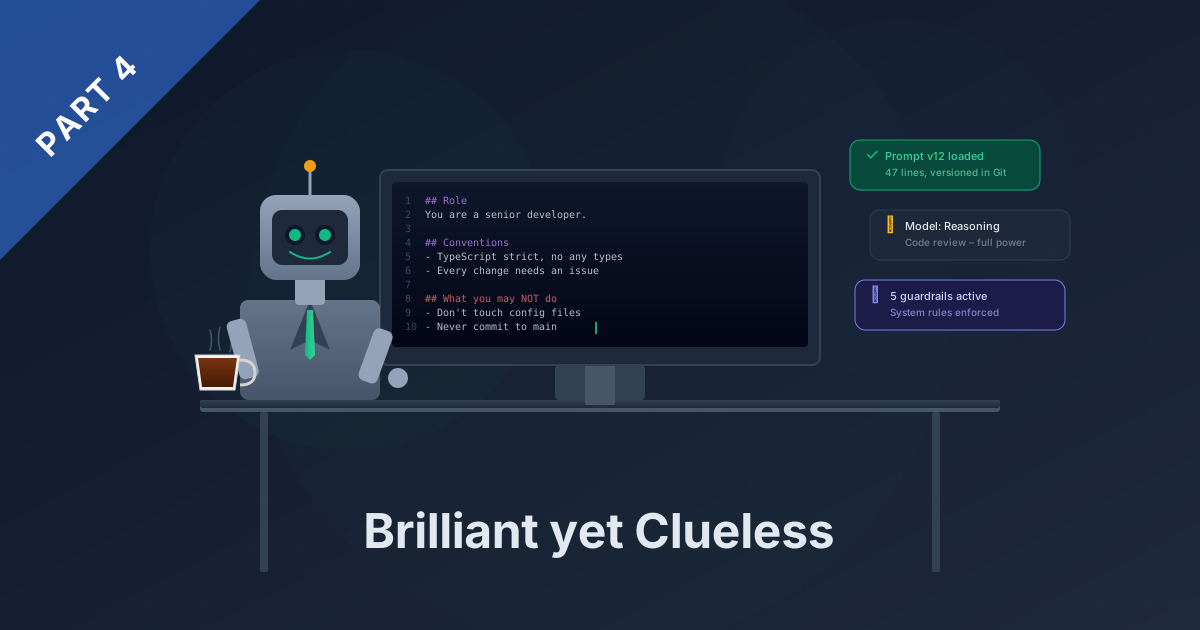
Part 4 and conclusion of the series “Brilliant yet Clueless” – How AI Agents Are Changing Our Software Development
The other day I opened the git history of our prompt library. Not because of a bug, but out of curiosity. The very first commit from just over a year ago: three lines. “You are a developer. Review this code. Follow best practices.” That was my entire briefing for a gifted colleague with absolutely zero common sense.
Today, in the same place, there’s a base prompt with 47 lines. Versioned like code, reviewed like a pull request, with specific rules, exceptions, and a negative list that grew from every single fail of the past months. The evolution between these two versions – that’s the real story behind this entire series.
Over the past three weeks, I’ve told you what the agent excels at and when it failed spectacularly. Today is about the most important part: the right instructions, choosing the right tool – and the five guardrails that make the difference between useful and dangerous.
The Tool Journey – From Toy to System
Before I talk about prompts, I need to talk about tools. Because the journey to today’s setup happened in phases, and each one changed how I work.
It started with Copilot. Auto-complete on steroids, nice suggestions, occasionally surprisingly accurate. Like an intern who has a good idea now and then – but only now and then. Useful for boilerplate, not enough for real work. The excitement was limited.
Then came the first agent that could think beyond a single file. That was the turning point I described in Part 1 – the moment auto-complete became a colleague. Suddenly I could say: “Build this feature,” and the agent understood which files were affected, what dependencies existed, what needed to change where. Not perfect, but impressive.
Phase three was realizing that not everything needs to be in the cloud. With OpenWebUI and local models, I started setting up my own AI instances – specialized spaces for recurring tasks. Full control over the data, no subscription model, but more work on my end. For certain use cases, the better choice – more on that in the model selection section.
The current state: a system of skills, specialized agents, and MCP servers that I introduced in Part 1 and Part 2. The tools have grown. But it’s not the tool that makes the difference – it’s how you instruct it. And that’s where the real work begins.
Prompt Engineering – The Actual Core Competency
The most important insight from Part 2 was: the effort shifts – away from coding, toward thinking and specifying. By now, I’d go a step further: prompt engineering isn’t some side skill. It’s the central competency that determines whether an AI agent is a tool or a risk.
Remember the out-of-office assistant story from Part 3. Four emails, an independently negotiated framework contract, a disaster. The problem wasn’t the model. The problem was my prompt – three vague lines that left every interpretation open to the agent. The surgeon operated brilliantly, just on the wrong leg.
The difference between a good prompt and a bad one isn’t the length. It’s the completeness. A good prompt defines not only what the agent should do – but also what it must not do, who it acts as, when it must escalate, and what context it needs. Think of the coffee machine from Part 1: if you don’t tell the new colleague where it is, don’t complain when they use the faucet.
And here’s where it gets interesting: all those new AI tools popping up everywhere right now – Copilot Cowork, DeepL Agent, the new features in every other SaaS product – if you look under the hood, most of it is surprisingly simple. A well-written set of instructions, a few tools wrapped around it, a model doing the work. At its core, exactly what I’m doing with my prompt library in the Git repo – just with nicer packaging. That’s not a criticism. It’s a confirmation. If companies can build entire products around giving a model the right instructions, that shows how powerful good prompt engineering is. The packaging changes, the core remains: whoever can articulate precisely what they want gets usable results. Whoever can’t gets surprises.
In practice, this means: think like an onboarding manager, not a programmer. Define not only the WHAT, but explicitly the WHAT NOT. Version your prompts like code – because they are code, just in natural language. Test on edge cases before letting the agent loose on real tasks. And accept that the first prompt is never the last. Mine grew from three lines to 47 in twelve months – and every single addition has a specific fail as its trigger.
Model Selection – The Right Tool for the Right Job
No model is best at everything. That sounds obvious but saves a lot of money and frustration once you’ve internalized it.
For code reviews and complex refactoring, I need a model that thinks along. One that questions architectural decisions, spots side effects, and doesn’t just suggest the obvious solution. This is where I rely on reasoning-strong models – the quality difference on demanding tasks is noticeable.
For translations, formatting, and simple text work, a fast, affordable model is perfectly sufficient. Using a cannon to shoot sparrows costs ten times more and delivers no better result. The 80/20 rule applies here like everywhere: for most everyday tasks, an efficient model does the job. I save the heavy artillery for the tasks where it actually counts.
Then there’s the question: cloud or local? With OpenWebUI and local models, I’ve tried both. Local models give me full control over the data – no upload, no third party, everything stays in-house. In return, performance on complex tasks often falls behind what cloud models deliver. For internal documentation, sensitive client data, or recurring standard tasks, that’s a good tradeoff. For everything else, I turn to the cloud. Details and a concrete model comparison are in the Tech Corner.
Five Guardrails – What I’ve Learned
If I distill everything into five points I’ve taken away from a year of AI deployment, these are them:
Never let it loose on critical systems without clear boundaries. The out-of-office assistant from Part 3 independently negotiated contract clauses – not because it was malicious, but because nobody told it not to. Every system with real consequences needs explicit boundaries. Not maybe. Not “it’ll be fine.” Explicit.
Define the context completely – including the obvious. Remember the coffee machine: what’s self-evident to you doesn’t exist for the agent. It doesn’t know where the coffee machine is. It doesn’t know that an out-of-office assistant doesn’t negotiate contracts. The surgeon needs the instruction about which leg to operate on – even if you consider it obvious.
Verify results, don’t trust blindly. The Playwright validation from Part 2 was a turning point: the agent tests its own output in a real browser before I see it. Still, I remain the final reviewer. Building trust doesn’t mean giving up control – it means making the review steps more efficient.
Treat the agent as a tool, not as an autonomous employee. That’s the core metaphor of this entire series. Gifted, yes. But clueless enough to delete configuration files or invent APIs without clear instructions. You use a tool consciously and deliberately. You don’t leave it alone in the office and hope for the best.
Enforce system rules outside the AI. That was the lesson from Part 1 and Part 3: prompts alone aren’t enough. The agent forgets rules, reinterprets them, or ignores them under context pressure. Branch protection, automated checks, permissions – everything the agent can’t circumvent belongs in the system, not in the prompt.
The difference between useful and dangerous isn’t in the model. It’s in the preparation, in the guardrails, and in the humility that common sense is ultimately irreplaceable.
Outlook – Where Are We Headed?
A year ago, I would have considered all of this science fiction. 68% AI-assisted commits, an agent that generates widgets from prompts, an MCP server as the interface between human and machine. The speed of development is breathtaking – and it’s accelerating, not slowing down.
At JASP, we’re working on making MCP integrations usable for client projects and embedding AI-powered automation deeper into our project work. The developer’s role is visibly changing: less coding, more thinking, specifying, validating. The tool landscape confirms this trend – products built fundamentally on prompt engineering are emerging everywhere. Building this competency today means having a head start tomorrow.
Will there be a continuation of this series? We’ll see. The development doesn’t stand still, and the next lessons are surely coming. Those who start versioning their prompts and structuring their agents today are better positioned than most.
Join the Conversation
This series was an honest workshop report. No marketing, no glossy promises. Four weeks of what actually happens when you deploy AI agents on real projects – including every fail.
If you’re having similar experiences or just getting started, reach out. Exchange beats any tutorial. Whether it’s a quick experience swap, consulting on your own setup, or a workshop for your team – just write to info@jasp.eu. The door’s open, and the coffee machine is easy to find.
🔧 Tech Corner: Model Comparison and Prompt Evolution
This section is for developers and IT professionals. If you’re not a techie – you haven’t missed anything, the series is hereby concluded.
Model Comparison – Same Task, Different Models
For the comparison, I used a real task: analyzing a network configuration with firewall rules, routes, and DNS – the same task I described in Part 2. My personal observation, not benchmark data:
| Model | Quality | Speed | Cost | My Recommendation |
|---|---|---|---|---|
| Claude Opus | Excellent – finds even subtle connections | Slow | High | Architecture, code review, complex analysis |
| Claude Sonnet | Very good – sufficient for 90% of tasks | Fast | Medium | Everyday work, features, documentation |
| GPT-4o | Good – solid results, sometimes less depth | Fast | Medium | Second opinion, text work |
| Local models (Qwen, DeepSeek) | Decent to good – highly task-dependent | Depends on hardware | Electricity only | Sensitive data, standard tasks, offline |
The insight: for the network analysis, the reasoning-strong model found the error in minutes. The fast model described the individual rules correctly but missed the connection between two configuration blocks. Local was usable, but I had to steer significantly more. In everyday work, I use the fast model for 80% of tasks and switch to the large one for reviews and architecture topics.
Prompt Evolution – Concrete Before/After
Prompt v1 (the very first commit):
You are a developer. Review this code.
Follow best practices.
Prompt v12 (current state, simplified):
You are a senior developer on our team.

## Conventions
- TypeScript strict mode, no any types
- Commit messages: <type>: <subject>, max 50 chars
- Every change requires a GitHub issue with rationale

## Your Task
[Loaded dynamically]

## What you may NOT do
- Touch files outside your task scope
- Add dependencies without consultation
- Commit directly to the main branch
- "Tidy up" or "improve" configuration files

## When Uncertain
Ask instead of guessing. Better one question too many
than one hallucination too many.
What triggered each line: “Don’t touch files” came after the tidying-up fail from Part 3. “Don’t commit to main branch” came after an uninvited push on day two. “Ask when uncertain” came after the first hallucination. Every rule has a scar.
System Rules vs. Prompt Rules
The last distinction, which makes the biggest difference in practice:
Prompt rules are soft rules. The agent knows them, follows them most of the time – but under context pressure, it forgets them. “Always create an issue” works three times; the fourth time it’s missing.
System rules are hard rules. Branch protection in Git that blocks a push to the main branch – regardless of what’s in the prompt. An automated check that rejects a PR when tests are missing. Permissions that deny the agent access to certain repositories.
My principle: everything the agent can forget, and where forgetting has real consequences, must be anchored as a system rule. The prompt tells it what to do. The system ensures it can’t do what it mustn’t. The prompts of today are the codebase of tomorrow – and like any codebase, they need tests, reviews, and hard guardrails around them.
Agent File #4: The Bottom Line What: 4 weeks of honest workshop reporting on AI agents in software development Result: 68% AI-assisted commits, +89% productivity at the same team size. Widget Builder UI in days instead of months. Azure costs recouped. But also: an agent that independently negotiated contracts, and a daily routine full of “Stop, don’t touch that!” moments. Lesson: AI doesn’t get better through a better model. It gets better through better instructions, clear boundaries, and the realization that common sense is ultimately irreplaceable.
This is Part 4 and the conclusion of the four-part series “Brilliant yet Clueless.” Part 1: “The New Colleague” | Part 2: “The Superpowers” | Part 3: “The Fails”
Contents
Tags
Related Content
Brilliant yet Clueless – The Fails: When the Gifted Agent Gets Spectacularly Dumb
12.03.2026Brilliant yet Clueless – The Superpowers: What AI Agents Actually Deliver in Development
05.03.2026Brilliant yet Clueless – The New Colleague: Why We "Hired" an AI Agent
26.02.2026Out-of-Office Messages – Done Right
27.08.2025