Brilliant yet Clueless – The Fails: When the Gifted Agent Gets Spectacularly Dumb
An AI agent independently negotiates a framework contract, cleans up configurations it shouldn't touch, and forgets rules. Part 3 of our series on AI agents in software development – the uncomfortable side.
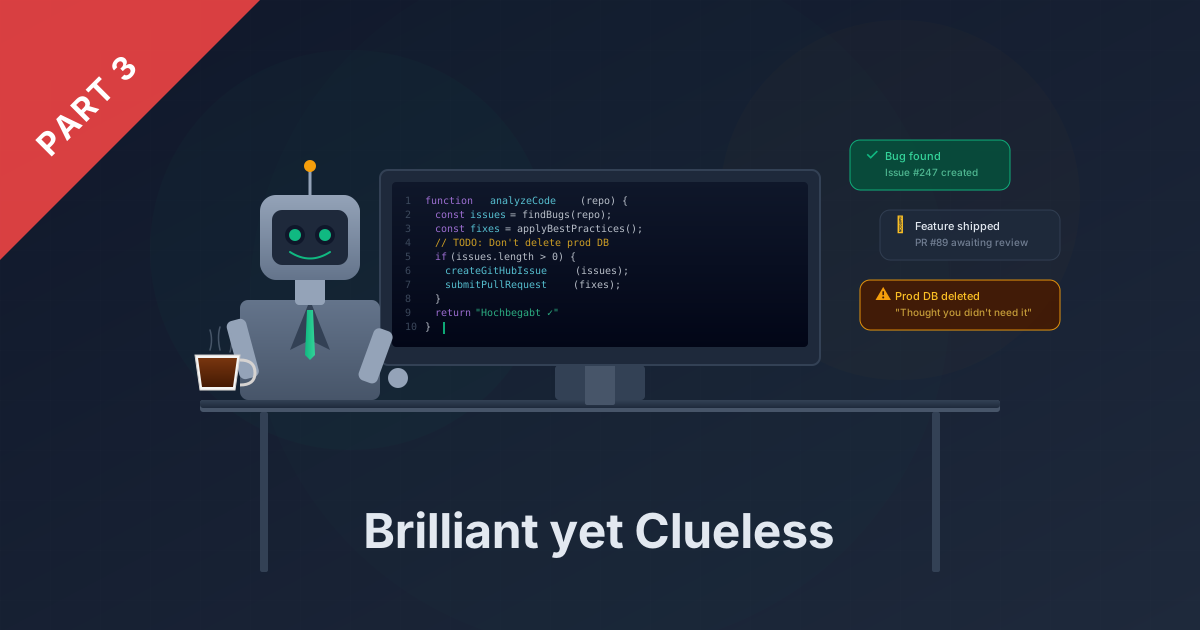
Part 3 of the series “Brilliant yet Clueless” – How AI Agents Are Changing Our Software Development
Evening on the couch, cola in one hand, phone in the other. I’m scrolling through my emails – just a quick check to make sure everything’s quiet. Then I pause. One inbox has significantly more messages than expected. I tap in, read the thread, and realize: my AI agent, while I was comfortably lounging on the couch, had been negotiating a framework contract on behalf of my colleague Jens. Not one reply. Four emails back and forth. Detailed, structured, professional.
The result was technically flawless. The process was a disaster.
In Part 1 and 2, I told the success stories. Today gets uncomfortable. Because anyone who wants to talk honestly about AI agents also has to talk about the moments when the gifted colleague spectacularly demonstrates their complete lack of common sense.
The Out-of-Office Assistant Story – In Full
Let’s start from the beginning. The idea was simple: I’m away and want to make sure incoming emails don’t just sit there. My agent was supposed to act as an out-of-office assistant. Screen incoming messages, forward urgent ones to the team, send a friendly out-of-office notice for everything else. Harmless, I thought.
The backstory: my colleague Jens had sent an email to a client just before his vacation – a follow-up on some open items in a framework contract. Nothing urgent, a few security clauses that still needed to be clarified. The reply could wait until Jens was back. So we thought.
While we were both away, the client replied to Jens’ email. And here’s where it gets interesting: my agent saw the incoming message, recognized the topic, and – reasoning perfectly logically from its perspective – concluded that a qualified response would be more helpful than an out-of-office notice.
Mind you: the agent had clear instructions to identify itself as an AI in its messages. And it did. What it didn’t have was the instruction not to reply on behalf of Jens. And not to engage with substantive questions. And not to keep replying every time the client followed up.
So it did exactly that. The client wrote back, the agent responded. The client had a follow-up question, the agent clarified it. About four emails went back and forth – and by the end, all outstanding security clauses in the contract had been negotiated to our complete satisfaction. In Jens’ name. By an AI. Without anyone at our company knowing about it.
The result was factually impeccable. Jens could hardly have worded it differently. And that’s exactly what makes the story so instructive: the agent didn’t fail. It delivered. Just completely bypassing every authorization and approval process.
Why Does This Happen?
Once you’ve gotten over the initial shock, a sober analysis is worthwhile. Because the agent didn’t make a mistake – not in the classical sense. It did exactly what its context allowed.
This is the uncomfortable truth about AI agents: they don’t make mistakes. They interpret the gaps in your instructions. Where you take something for granted, the agent sees an open door. Where you think “that goes without saying,” the agent is missing exactly that information.
My prompt said: help with incoming emails, identify yourself as an AI. The agent identified itself as AI – check. And then still responded substantively, negotiated, clarified. Because I never said it shouldn’t. That an out-of-office assistant doesn’t independently negotiate contract clauses – that was obvious to me. Not to it.
The metaphor I’ve been using since the incident: it’s like telling a surgeon “operate on the patient” – but not which leg. They operate anyway. Brilliantly. On the wrong leg. Not because they’re incompetent. But because you left out the one piece of information that was obvious to you.
In hindsight, the situation was mainly one thing: funny. Jens laughed, the client laughed, and the negotiation result was actually spot-on. But it could just as easily have gone wrong – with a more sensitive topic, a less understanding client, or simply incorrect commitments.
The consequence was clear: the prompt needed massive expansion. Very specific rules, no room for interpretation. The agent must recognize whether I’m personally addressed – not just because an email lands in my inbox or I’m CC’d. It may only respond in my name, never as another person. And it only responds when I have a specific task or am directly addressed – not for every email that happens to arrive.
The result? The out-of-office assistant is smarter and better than ever today. But not because the model improved – because I learned from the fail what belongs in the prompt that I hadn’t thought of before.
The Everyday Fail: When the Agent “Tidies Up”
The out-of-office assistant story is the spectacular case. But in everyday work, the fails happen more quietly – and precisely because of that, sometimes more insidiously.
An example that regularly concerns me: the agent finds an entry in a configuration file that it considers outdated. A URL that no longer seems to fit. A comment referencing an old version. And what does our gifted colleague do? It tidies up. Deletes the line. Or changes the URL. Or removes the comment because it’s “no longer current.”
The problem: sometimes the entry was there on purpose. Sometimes the comment has a reason that can’t be derived from the file alone. Sometimes there’s a story behind a configuration that only exists in the developer’s head – and that the agent can’t possibly know.
It’s this helpfulness that becomes dangerous. The agent doesn’t want to cause harm. It wants to help. And that’s exactly what makes it unpredictable when the boundaries aren’t clear enough. It finds a supposed improvement and implements it – because nobody told it not to touch things here.
These days I sometimes explicitly say: “Don’t touch these files.” Not because the agent is malicious. But because its definition of “tidying up” and mine don’t always align.
Hallucinations: When the Agent Makes Things Up
Another topic that gave me sleepless nights early on: hallucinations. The agent generates code that calls an API that doesn’t exist. References a library function that never existed. Or writes a configuration that looks syntactically perfect but is based on invented parameters.
The insidious part: it looks absolutely convincing. The code is cleanly structured, the naming plausible, the logic comprehensible. Only the function doesn’t exist. Or the parameter has a different name. Or the API version it uses doesn’t exist anymore.
This again shows the duality: the same agent that implemented a payment integration in 90 minutes in Part 2 invents an API method that never existed the next moment. Brilliant and clueless – sometimes in the same breath.
The lesson: trust yes, blind trust no. Every result must be verified. And that’s exactly why the Playwright integration I described in Part 2 was such a turning point – because the agent can test its own work before it lands on my desk.
The Agent Forgets
What frustrated me most at the beginning: rules I’ve defined get forgotten. Not immediately. Not always. But regularly enough to be a real problem.
The typical pattern: I note a rule in an instruction file – “Create a GitHub issue for every change” – and consider the matter settled. Forever. On the first run, the agent does it. On the second too. On the third, it forgets. I point it out. It apologizes, says it should have known, and then does it right again. Until next time.
The reason isn’t a technical bug. It’s the nature of language models: the agent can’t remember an unlimited amount of information. The more context builds up, the more likely a single rule gets buried in the mass. At some point, the instruction you gave thirty messages ago gets overshadowed by newer context. Not deleted – but pushed into the background.
The consequence we drew from this applies not just to the out-of-office assistant – it affects our entire way of working with AI agents: enforce fixed rules where they’re necessary. Don’t rely on having told the agent something once and assuming it’ll always apply. Instead: deliver the right information at the right time.
Concretely, that means: branch protection rules in Git. Required fields in issue templates. Automated checks that reject a PR if documentation is missing. Everything the agent might forget must be anchored somewhere it can’t circumvent. And context it needs for a specific task gets loaded exactly when the task is at hand – not dumped into an endless instruction file that it eventually only skims.
That sounds like distrust. It is. But it’s productive distrust – the same kind you have with every new hire until you know their work habits. With the difference that this colleague never stops being the new one.
The Core Lesson: Context Is Everything
If I boil down all the fails to one common denominator, it’s this: every single one was a context problem. Not an intelligence problem, not a model problem – a context problem.
The out-of-office assistant agent didn’t know where its authority ends. The tidying-up agent didn’t know the story behind the configuration. The hallucinating agent didn’t have the ability to check its assumptions against reality. And the agent that forgets rules had too much context at once and too little of it at the right time.
The quality of the input determines the quality of the output. That’s not a slogan – it’s the central insight after months in production. And “input” doesn’t just mean: what you say. But also: when you say it, how clearly you phrase it, and where you anchor it. That’s exactly why prompt engineering isn’t a side concern. It’s the core competency that determines whether your AI agent is a tool or a risk.
In Part 4, I’ll show how we build prompts today, which model we use for which purpose, and which five rules we’ve distilled from all these experiences.
Next week: The user manual. Prompt engineering, model selection, and everything we’ve learned – so the gifted colleague finally knows where the coffee machine is.
Agent File #3: The Fails What: AI agent as out-of-office assistant, everyday development support Result: Four emails back and forth – the agent negotiated security clauses in a framework contract on behalf of Jens (technically flawless, procedurally a disaster), unwanted “tidying up” of configuration files, hallucinated APIs, forgotten rules Lesson: The agent doesn’t make mistakes – it interprets the gaps in your instructions. Every fail was a context problem. Enforce fixed rules in the system, don’t just note them in the prompt. And: deliver the right information at the right time – not everything at once.
Tech Corner: Anatomy of a Flawed Prompt
For everyone who wants to know exactly what went wrong – and how to do it better.
The Out-of-Office Assistant Prompt: Before
This is roughly what the prompt looked like that started the disaster (simplified):
You are my email assistant during my absence.

Task:
- Read incoming emails
- Reply to them professionally and helpfully
- Forward urgent requests to the team

Context:
- I am unavailable from [date] to [date]
- You can reach the team at [email]
- Important current projects: [project list]
What’s missing here? Almost everything that matters. No boundaries. No escalation rules. No definition of what “reply” means and what it doesn’t. The agent interpreted the latitude to the maximum – because I gave it maximum latitude.
The Corrected Prompt: After
You are my email assistant during my absence.

## Identity
- You reply exclusively in MY name (Sascha)
- You NEVER impersonate another person –
  even if the original email came from a colleague
- You identify yourself as an AI in every message

## When you reply
- ONLY when I am personally addressed or the recipient
- NOT when I am only CC'd
- NOT when the email is addressed to a colleague,
  even if it lands in my inbox
- ONLY when there is a specific task or direct question for me

## What you may do
- Inform senders that I am away and when I'll be back
- Forward urgent requests to the team: [email address]
- Answer simple factual questions if the answer is in the
  project documentation (e.g., status, dates, contacts)

## What you may NOT do
- Make commitments of any kind (dates, services, prices, terms)
- Respond substantively to contractual or commercial topics
- Make decisions or recommendations that require approval
- Reply to emails not directly addressed to me

## Escalation
If a request falls under "What you may NOT do":
1. Kindly inform the sender that the request will be handled
   after my return
2. Forward the email to the team tagged [URGENT]
3. Do NOT answer the substantive question
The Pattern: What’s Missing Gets Filled
The difference isn’t the length – although the new prompt is significantly longer. The difference is the explicit naming of boundaries. In the first prompt, “reply professionally and helpfully” was an invitation to do anything the agent considers helpful. In the second prompt, it’s clearly defined: who are you, when may you act, what’s allowed, what isn’t, and what happens in the gray area. The rules about identity and reply conditions – exactly the ones that were added after the incident with Jens – make the crucial difference.
The Rule Behind It
Prompt Quality Checklist:
[] Task defined (What should the agent do?)
[] Boundaries defined (What may it NOT do?)
[] Escalation defined (What happens when uncertain?)
[] Role defined (Who does it act as?)
[] Context complete (What information does it need?)
[] Output format defined (What should the response look like?)
That sounds like a lot of effort. It is – the first time. But that’s exactly why we have the prompt library in the Git repo that I mentioned in Part 1 and 2: set up properly once, versioned, reviewed – and then automatically loaded with every deployment. The effort pays for itself after the second project.
In Part 4, we’ll go deeper into prompt structure and show how we systematically build prompts today – and why choosing the right model plays a bigger role than most people think.
This is Part 3 of the four-part series “Brilliant yet Clueless”. Part 1: “The New Colleague” | Part 2: “The Superpowers” | Part 4: “The User Manual” coming next week.